Have you applied for a scholarship through the National Scholarship Portal and want to know what happened to your application?
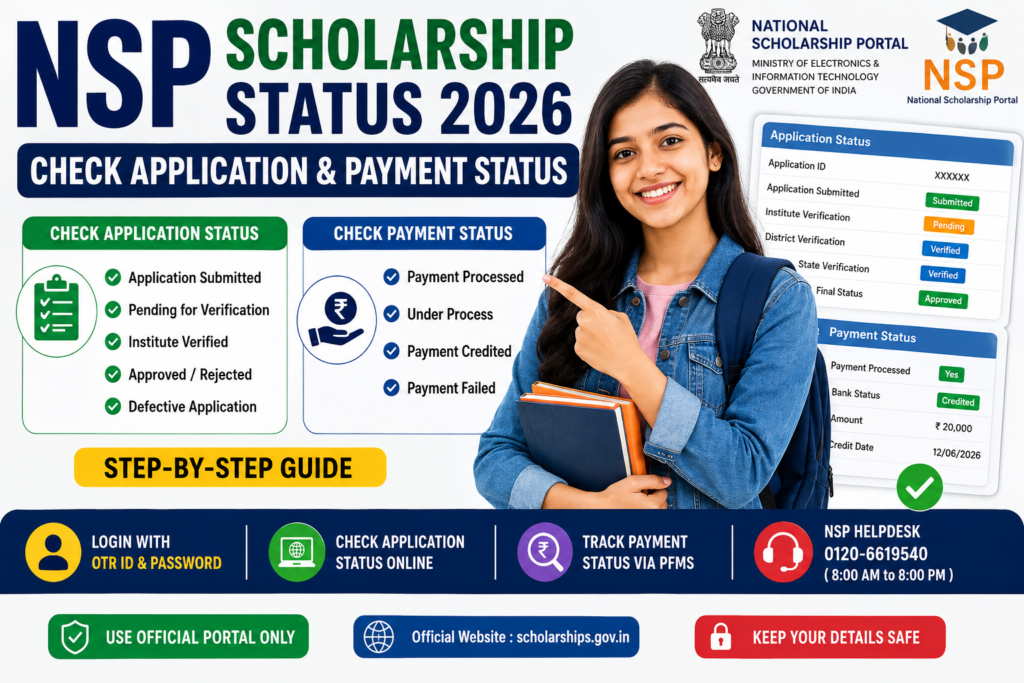
Many students apply for scholarships successfully but later become confused when they see different status messages. Some applications show Pending, while others show Verified, Defective, Rejected, or Payment Processed.
If you have applied for a scholarship through the National Scholarship Portal (NSP), you can check both your application status and, once the scholarship is processed, your payment status.
This article explains how to check the NSP Scholarship Status 2026–27, understand common application status messages and track your scholarship payment.
NSP Scholarship Status 2026: Quick Overview
| Details | Information |
|---|---|
| Portal Name | National Scholarship Portal |
| Short Name | NSP |
| Academic Year | 2026–27 |
| Application Status | Check through NSP student login |
| Login Requirement | OTR ID and Password |
| Payment Status | Check through PFMS |
| OTR Required | Yes |
| Official Portal | scholarships.gov.in |
For Academic Year 2026–27, students use their One Time Registration (OTR) ID and password to log in, complete scholarship applications and check the status of fresh and renewal applications.
What Is NSP Scholarship Status?
NSP Scholarship Status tells you the current stage of your scholarship application.
After you submit your application, it may go through several stages of verification before the scholarship amount is released.
For example, your application may show:
- Application Submitted
- Pending for Verification
- Institute Verified
- Defective
- Rejected
- Approved
- Payment Processed
The exact wording may vary depending on the scholarship scheme and the stage of processing.
How to Check NSP Scholarship Application Status 2026–27?
Students who applied for scholarships for the recent academic years can check their application status through the National Scholarship Portal.
Step 1: Visit the Official NSP Website
Go to the official National Scholarship Portal.
Official website: scholarships.gov.in
Step 2: Go to the Student Section
On the official portal, go to the student login section.
The portal provides access for students to:
- Apply for scholarships
- Submit fresh applications
- Submit renewal applications
- Check application details
- Check application status
Step 3: Log In Using Your OTR ID
For the current NSP system, students use their:
- OTR ID
- Password
Your OTR, or One Time Registration number, is a unique 14-digit number linked to your academic journey on the National Scholarship Portal.
OTR is mandatory for applying for scholarships on NSP.
Step 4: Open Your Scholarship Application
After logging in, look for your submitted scholarship application.
You should be able to see information related to your application and its current processing stage.
Step 5: Check Your Application Status
Look for the application status section.
The status will tell you whether your application is:
- Submitted successfully
- Waiting for verification
- Verified
- Marked defective
- Rejected
- Approved
If your scholarship has been approved for payment processing, you may need to check PFMS for the latest payment information.
How to Check NSP Application Status for Older Applications?
The National Scholarship Portal also provides a separate application status facility for older academic years.
This status option is specifically available for:
- Academic Year 2022–23
- Academic Year 2023–24
Students may need to select whether the application was:
- Fresh
- Renewal
They can then enter their application ID to check the status.
NSP Scholarship Payment Status 2026: How to Check?
Checking your application status and checking your payment status are two different things.
Your application may be approved, but the scholarship amount may still be under processing.
The National Scholarship Portal directs students to the Public Financial Management System (PFMS) to track scholarship disbursement status.
How to Check Scholarship Payment Status Through PFMS?
Follow these steps to check your scholarship payment.
Step 1: Visit the PFMS Portal
Go to the official PFMS payment tracking facility.
Look for the option called:
Know Your Payment
Step 2: Enter the Required Details
Depending on the available options, you may be asked to provide information such as:
- Bank account number
- Aadhaar number
- NSP Application ID
The exact information required may depend on the payment tracking system. Official government scholarship guidance also refers students to PFMS to check whether scholarship payments have been credited.
Step 3: Verify the Information
Enter the required verification details carefully.
Do not enter your personal information on unofficial websites.
Always make sure that you are using an official government website.
Step 4: Check the Payment Status
After submitting the required information, you may be able to see the current status of your scholarship payment.
The information may show whether:
- Payment has been processed
- Payment is under processing
- Payment has been credited
- Payment has failed or encountered an issue
NSP Scholarship Status Meaning Explained
Students often become confused when they see technical terms on the portal.
Here is what some common statuses generally mean.
1. Application Submitted
This means your scholarship application has been submitted successfully.
However, submission does not mean that the scholarship has been approved.
Your application may still need to go through verification.
2. Pending for Institute Verification
This usually means that your application is waiting for verification by your school, college or institution.
You may need to contact the scholarship or nodal officer at your institution if the status does not change for a long time.
3. Verified
This generally means that the application has passed a stage of verification.
Depending on the scholarship scheme, further verification may still be required.
4. Pending at District or State Level
Some scholarship applications go through additional verification stages.
Your application may need to be checked by the appropriate authorities before it can move forward.
The exact verification process depends on the scholarship scheme.
5. Defective Application
A defective application usually means that there is a problem with the information or documents submitted.
Common reasons may include:
- Incorrect information
- Missing documents
- Unclear documents
- Incorrect bank details
- Incorrect educational information
If your application is marked defective, check the portal carefully and make corrections within the allowed time.
Do not ignore a defective application status.
6. Rejected
A rejected application means that the application has not been accepted.
This can happen for different reasons, such as:
- Not meeting eligibility criteria
- Incorrect information
- Invalid documents
- Failure to complete verification
- Duplicate or incorrect application details
Students should check the reason for rejection, if available.
7. Approved
An approved status generally means that your application has successfully passed the required approval stages.
However, approval does not always mean that the money has already reached your bank account.
You should check the payment status separately.
8. Payment Processed
This usually means that the scholarship payment has been processed for disbursement.
Students should check the PFMS payment status and their bank account.
NSP Scholarship Payment Not Received: What Should You Do?
If your scholarship application is approved but the money has not reached your bank account, do not panic immediately.
There can be a delay between application approval and payment credit.
Check the following.
Check your PFMS payment status
First, check whether the payment has been processed.
Check your bank account details
Make sure the bank account information provided during the scholarship application is correct.
Check:
- Account number
- IFSC code
- Account holder’s name
Check Aadhaar and bank account details
For some scholarship and DBT-related processes, Aadhaar and bank account details can be important.
The NSP portal also provides information and facilities related to Aadhaar seeding and bank account status.
Contact your institute
If your application is still pending for institute verification, contact your school or college scholarship department.
You can ask the institution whether any action is required from your side.
Contact the NSP Helpdesk
If you are facing a technical problem, you can contact the official NSP Helpdesk.
The NSP website currently lists:
NSP Helpdesk: 0120-6619540
The helpline is listed as available from 8:00 AM to 8:00 PM on all days except government holidays.
Why Is My NSP Scholarship Status Still Pending?
There can be several reasons why an application remains pending.
1. Institute verification is not complete
Your school or college may not have completed verification yet.
2. Further verification is required
Depending on the scheme, applications may go through additional verification levels.
3. A document needs correction
Your application may be marked defective if there is a problem with the information or uploaded documents.
4. There is a large number of applications
During scholarship season, verification and processing can take time.
5. Your scholarship scheme has a different timeline
Each scholarship scheme can have different verification and payment schedules.
Always check the official timeline for your specific scholarship scheme.
Important Difference: Application Status vs Payment Status
Many students think these are the same thing, but they are different.
Application Status
This tells you what is happening with your scholarship application.
For example:
- Submitted
- Verified
- Pending
- Defective
- Rejected
- Approved
Payment Status
This tells you what is happening with the scholarship money.
For example:
- Under processing
- Payment processed
- Payment credited
- Payment failed
So, even if your application is approved, you should separately check whether the scholarship payment has been released.
Common Problems While Checking NSP Scholarship Status
I forgot my OTR ID
Use the official NSP portal and follow the available account recovery options.
Do not create multiple accounts unless specifically instructed by the official portal.
I cannot log in
Check whether you are entering:
- The correct OTR ID
- The correct password
- The required verification information
If the problem continues, use the official NSP support system.
My application is not visible
Make sure you are checking the correct academic year and the correct application.
Also confirm whether you submitted a fresh application or a renewal application.
My status has not changed for many days
Contact your institute or scholarship nodal officer to check whether verification is pending.
My application is defective
Log in to the portal and carefully check the reason.
Correct the required information or documents within the deadline provided by the portal.
Important Tips for NSP Scholarship Applicants
Before and after submitting your scholarship application, follow these tips.
Use only the official portal
Always use:
scholarships.gov.in
Avoid unofficial websites that ask for your password, OTP or Aadhaar details.
Keep your application details safe
Save your:
- OTR ID
- Application details
- Application ID
- Password securely
Do not share passwords or OTPs with anyone.
Check the status regularly
Do not wait until the final scholarship deadline to check your application.
If your application becomes defective, you may need time to correct it.
Check scheme-specific timelines
Different scholarship schemes have different:
- Application deadlines
- Defective application correction dates
- Institute verification dates
- Final verification dates
For the latest information, check your specific scheme on the National Scholarship Portal.
NSP Scholarship Status 2026: Frequently Asked Questions
How can I check my NSP Scholarship Status?
For current applications, log in to the National Scholarship Portal using your OTR ID and password and check your submitted scholarship application.
For older academic years 2022–23 and 2023–24, NSP provides a separate application status facility.
Can I check NSP Scholarship Status using my application ID?
For older academic years supported by the separate application-status facility, students can select Fresh or Renewal and enter their application ID to track the application.
How do I check my NSP Scholarship Payment Status?
You can track scholarship payment information through the PFMS payment tracking system.
The National Scholarship Portal directs students to PFMS to track scholarship disbursement status.
Why is my NSP application pending?
Your application may be waiting for verification by your institute or another verification authority.
The exact reason depends on your scholarship scheme and application status.
What does defective mean in NSP Scholarship Status?
It generally means there is an issue with the application or documents that requires attention or correction.
Check your application carefully and complete any correction within the deadline shown on the portal.
My NSP Scholarship is approved, but I have not received the money. What should I do?
Check your payment status through PFMS, verify your bank details and contact the appropriate scholarship authority or helpdesk if required.
Is OTR mandatory for NSP Scholarship applications?
Yes. The National Scholarship Portal states that OTR is mandatory for scholarship applications under the current system.
Official Links
National Scholarship Portal
scholarships.gov.in
NSP Application Status
For eligible older academic years, use the application-status facility available through NSP.
PFMS Payment Status
Use the Track Your Payment option available through the official National Scholarship Portal or the official PFMS payment tracking service.
Final Words
Checking your NSP Scholarship Status regularly is important after submitting your application.
First, check whether your application has been successfully submitted and verified. If the application is approved, check your scholarship payment status separately.
If you see a pending or defective status, do not ignore it. Log in to the official portal, check the details carefully and contact your institute or the official NSP Helpdesk when necessary.
Always use official government portals for checking your scholarship application and payment information. Never share your password, OTP or other sensitive information with unofficial websites or individuals.
Knowtify.in provides latest government job updates, schemes information, admit cards, and exam notifications in simple and clear language